Data Lineage
Making Complex Data Relationships Easier to Explore
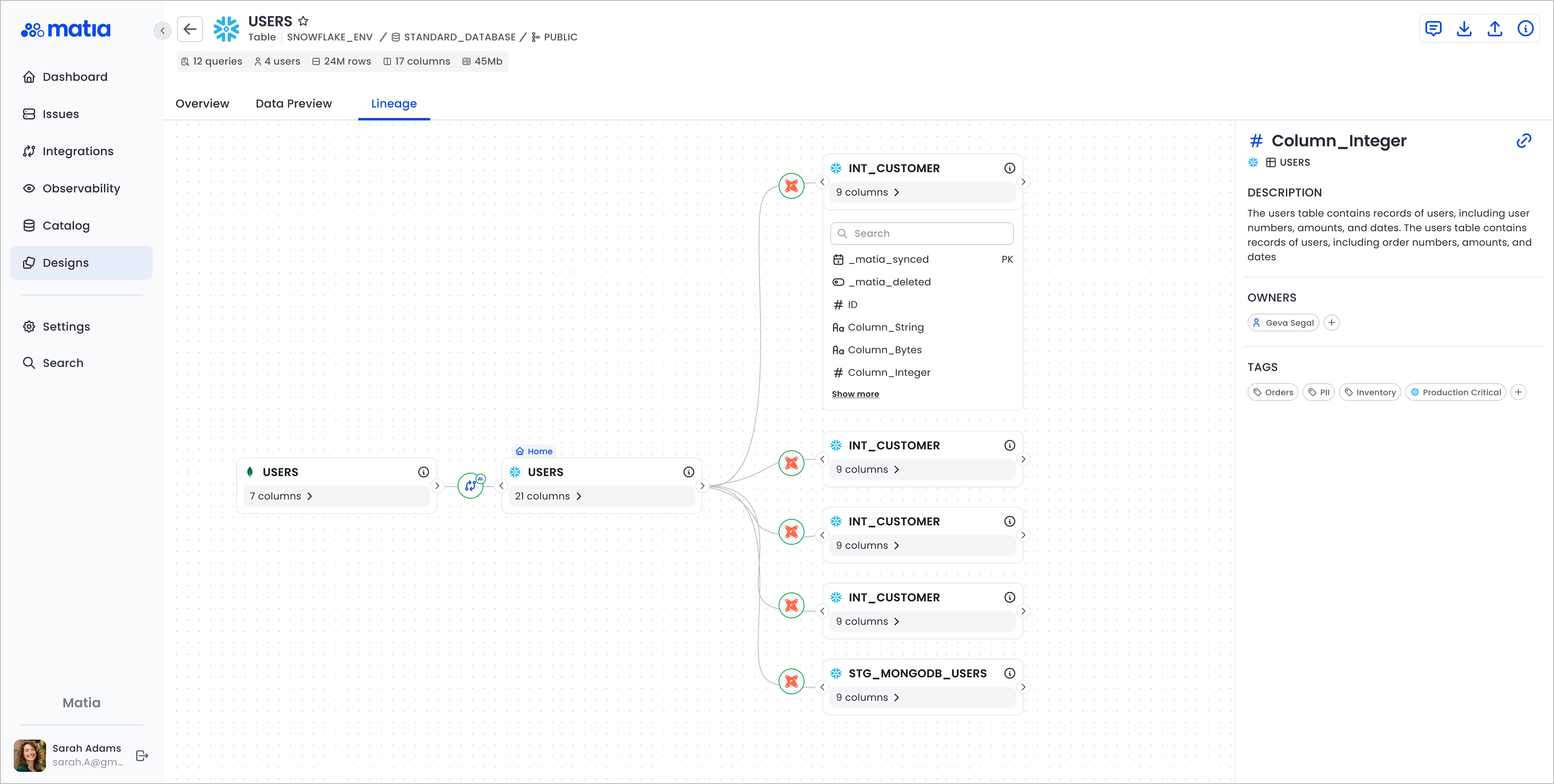
Data lineage helps data teams understand how information flows between systems, tables, and columns, making it easier to trace dependencies and identify the impact of changes. The goal of this project was to transform Matia's existing lineage experience into a clearer, more intuitive, and interactive way to explore complex data relationships.
My role
User research, sketching, visual design, wire-framing, logos, Images, prototyping, dev handoff, usability testing, and support through development.
Tools
Figma, Figjam, Usertesting, Principle, Jira, Confluence, zoom, Docs, pen and paper.
Team
Product Designs, Product Manager, UX Researcher, Development Team.

The problem
Before adding player, team, and league pages, DraftKings users faced challenges in accessing comprehensive sports information. They had to navigate multiple screens or use external sources, leading to a fragmented experience. Our solution was dedicated pages for players, teams, and leagues, centralizing essential information, improving user experience, and deepening engagement. These pages provided easy access to player stats, team standings, and league updates, enhancing app usability, satisfaction, and retention.
The challenges & user needs
Implementing player, team, and league pages in the DraftKings app posed several challenges. Integrating vast real-time data, optimizing app speed, ensuring intuitive navigation, maintaining brand consistency, and ensuring cross-platform compatibility demanded meticulous attention. Overcoming these obstacles required close collaboration between design, development, and data teams, along with extensive testing and iteration.
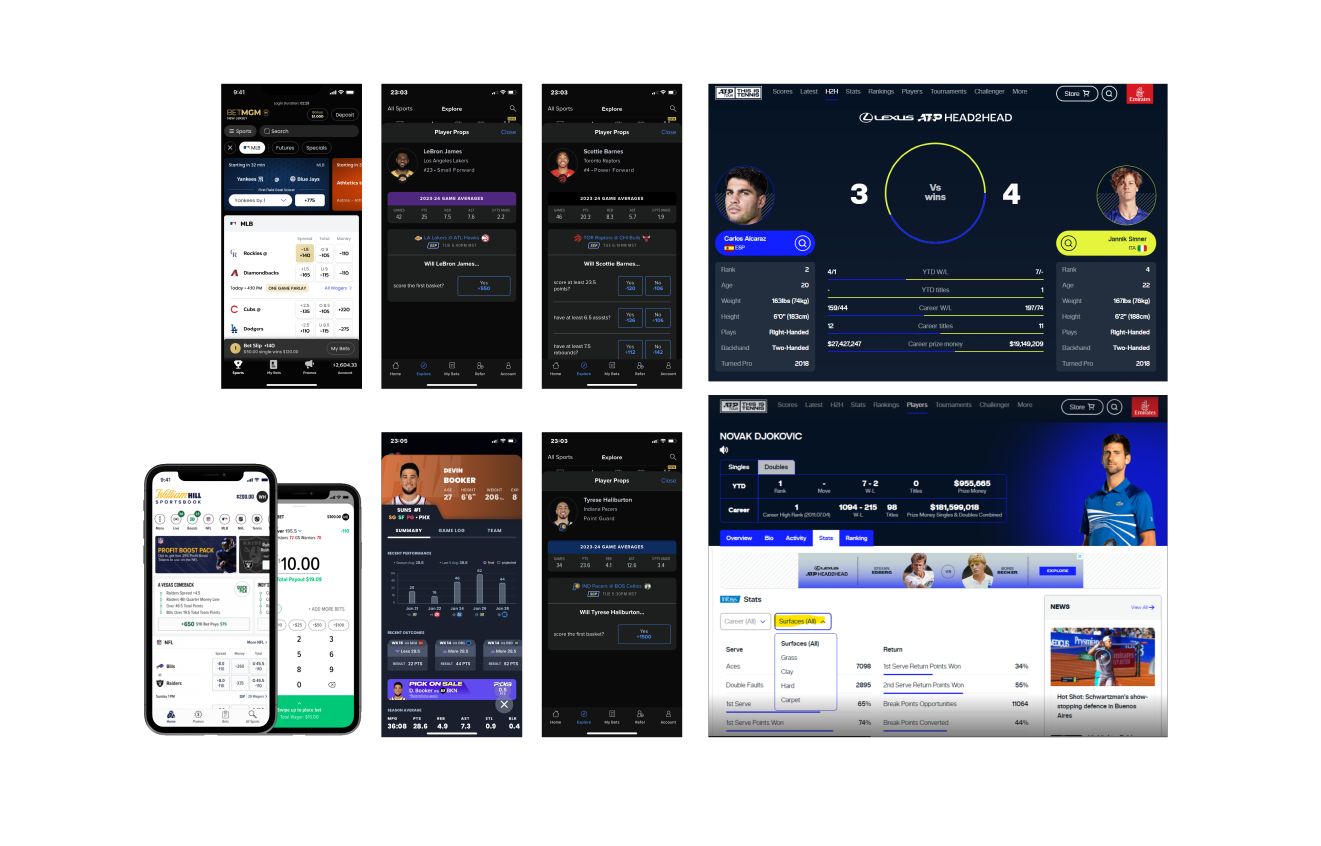
Competitive Analysis
FanDuel, BetMGM, William Hill, Caesars Sportsbook, PointsBet, Bet365, FOX Bet
Intro
As a senior product designer at DraftKings, I led a project to enhance the betting experience. I introduced "My Bets" cards for centralized bet management and sorting/filtering options for personalized navigation. Working closely with teams, I seamlessly integrated these features, ensuring a user-friendly design through iterative testing. This project reflects DraftKings' commitment to innovation and user-centric design.
My role
User research, sketching, visual design, wire-framing, logos, Images, prototyping, dev handoff, usability testing, and support through development.
Tools
Figma, Figjam, Usertesting, Principle, Jira, Confluence, zoom, Docs, pen and paper.
Team
Product Designs, Product Manager, UX Researcher, Development Team.

The problem
The "My Bets" cards and sorting/filtering functions were crucial upgrades to the DraftKings app, enhancing usability and user experience. Before their addition, users struggled to manage bets and navigate history efficiently. With "My Bets" cards, users gained a centralized space, streamlining processes and increasing engagement. Sorting and filtering options allow for customized experiences, improving information retrieval. These enhancements boosted user satisfaction and retention, reinforcing DraftKings' industry leadership.

The challenges & user needs
Implementing the "My Bets" cards and sorting/filtering functionalities faced various challenges:
UI Complexity: Designing an intuitive interface for diverse bet types was a challenge, requiring careful iteration.
Data Management: Integrating real-time bet data while maintaining app performance demanded robust solutions.
Navigation and Organization: Developing effective sorting and filtering options required thorough user research.
Cross-Platform Consistency: Ensuring a consistent experience across devices added complexity, necessitating detailed design considerations.
Integration: Seamlessly integrating new features with existing ones posed a challenge, requiring coordination across teams.
Overcoming these hurdles involved close collaboration and extensive testing to deliver a seamless solution within the DraftKings app.